mirror of
https://github.com/ChenQihan666/MyBlog-Next.git
synced 2026-08-14 11:29:33 +08:00
 satnaing
127 lines
5.0 KiB
Markdown
127 lines
5.0 KiB
Markdown
---
|
|
title: How to connect AstroPaper blog with Forestry CMS
|
|
author: Sat Naing
|
|
pubDatetime: 2022-09-21T05:17:19Z
|
|
postSlug: how-to-connect-astro-paper-blog-with-forestry-cms
|
|
featured: false
|
|
draft: false
|
|
tags:
|
|
- docs
|
|
- forestry-cms
|
|
- astro-paper
|
|
ogImage: https://res.cloudinary.com/noezectz/v1663745737/astro-paper/astropaper-x-forestry-og_kqfwp0.png
|
|
description:
|
|
Step by step process of connecting Astro-Paper blog theme with Forestry
|
|
Headless CMS.
|
|
---
|
|
|
|
> Important!!! Forestry is going to be discontinued on April 22nd, 2023. You can [read their announcement](https://forestry.io/blog/forestry.io-end-of-life/) for more info.
|
|
|
|
In this article, I will explain step by step process of connecting AstroPaper theme with the Forestry headless CMS. So, let's get started 🎉
|
|
|
|
## Table of contents
|
|
|
|
## What is Forestry?
|
|
|
|
[Forestry](https://forestry.io/ "Forestry Website") is a git-based headless CMS and we can manage our markdown contents easily by using that. Although it is not an open-sourced CMS, it has a good free plan by which we can import up to 3 sites (3 repositories). In this article, I'll demonstrate how we can use Forestry as git-based CMS of our AstroPaper blog theme.
|
|
|
|
## Login / Register an account at Forestry.io
|
|
|
|
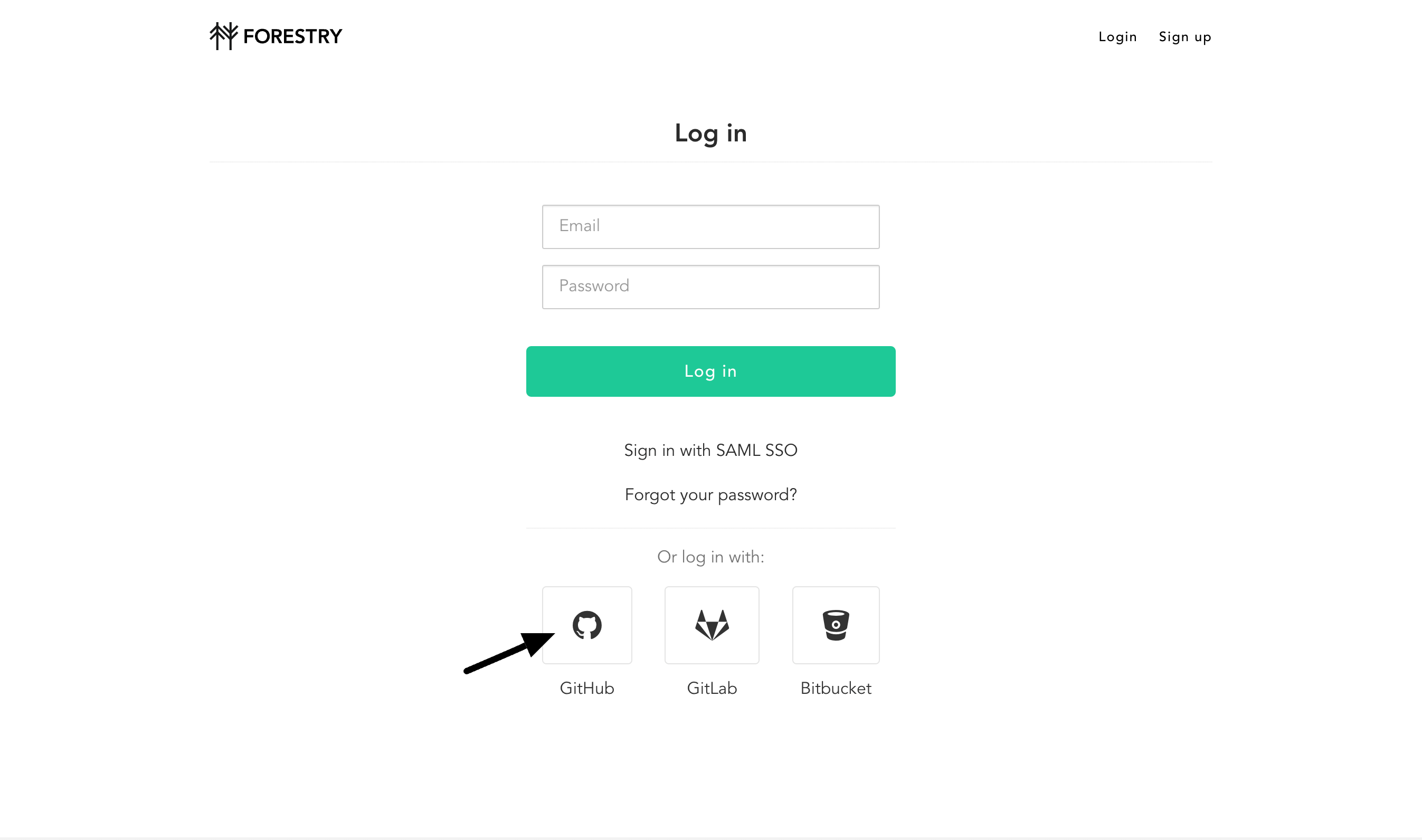
First of all, you have to create an account at [Forestry website](https://app.forestry.io/login "Forestry Login Page"). I usually sign up with my Github account.
|
|
|
|
|
|
|
|
## Import AstroPaper site (repository)
|
|
|
|
This part is importing the repository to Forestry and a little bit of set up process.
|
|
|
|
### Add Site
|
|
|
|
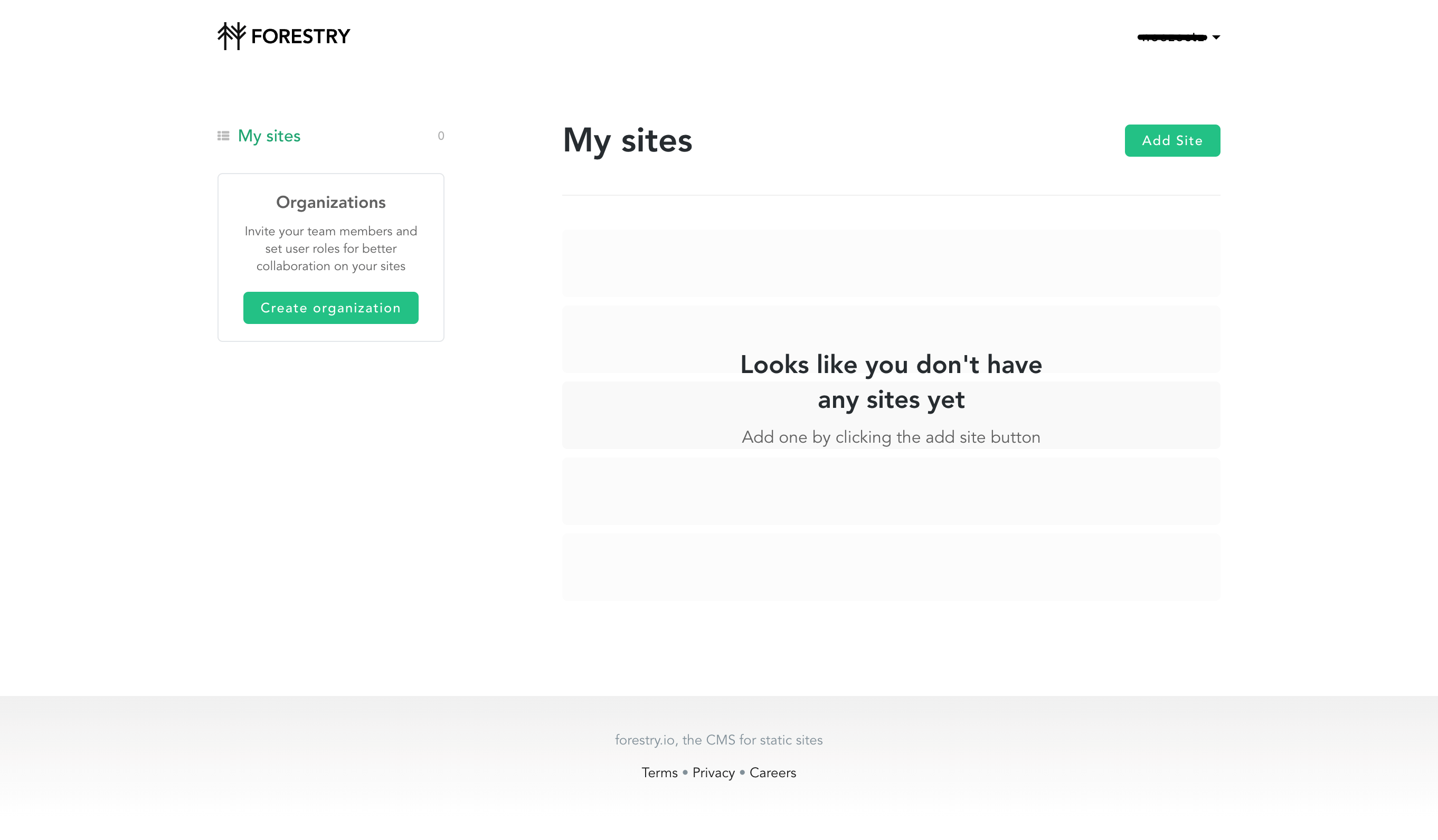
After logging in/signing up an account, import your AstroPaper site by clicking "Add Site" button.
|
|
|
|
|
|
|
|
### Select SSG
|
|
|
|
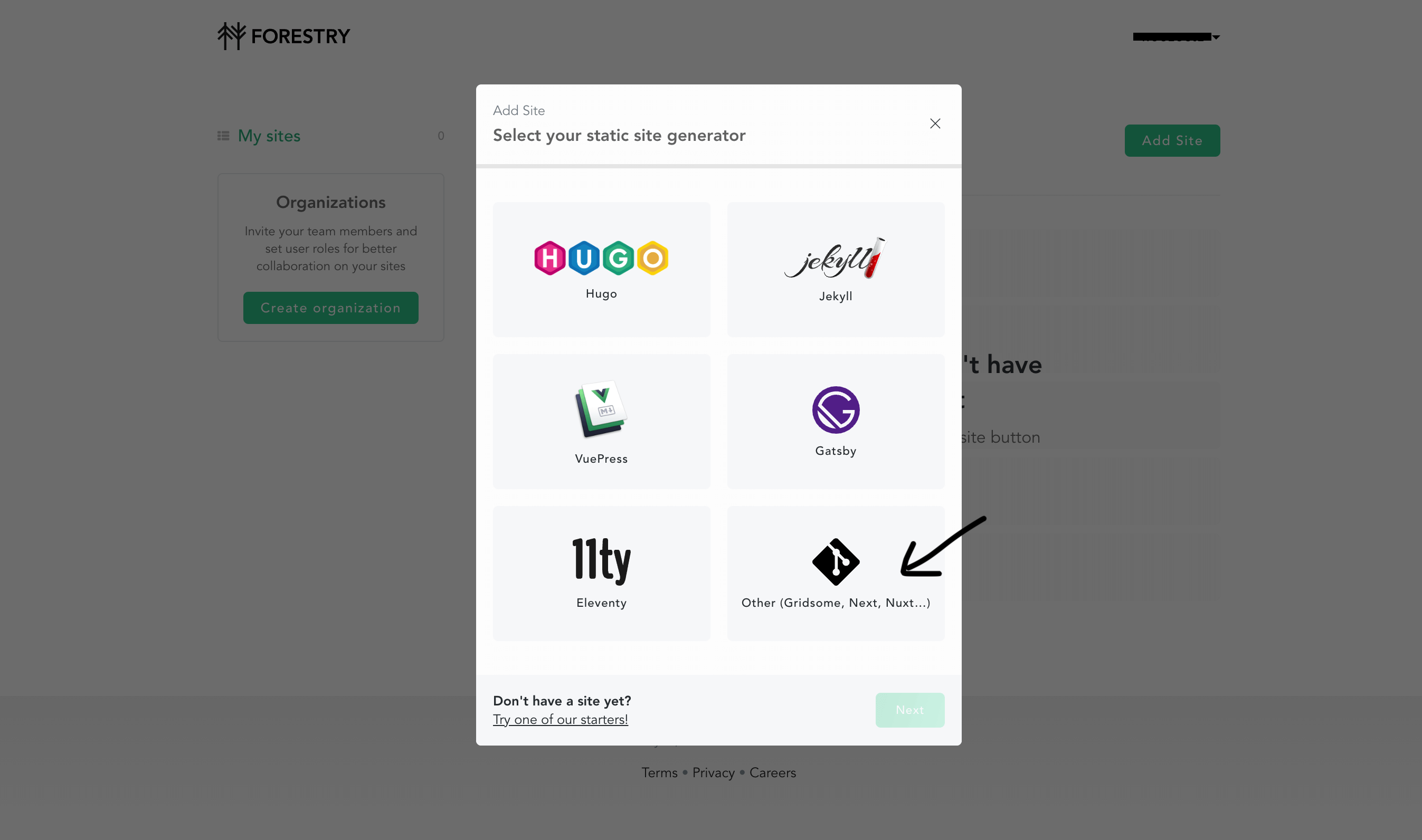
In this case, just choose "Others"
|
|
|
|
|
|
|
|
### Select Git Provider
|
|
|
|
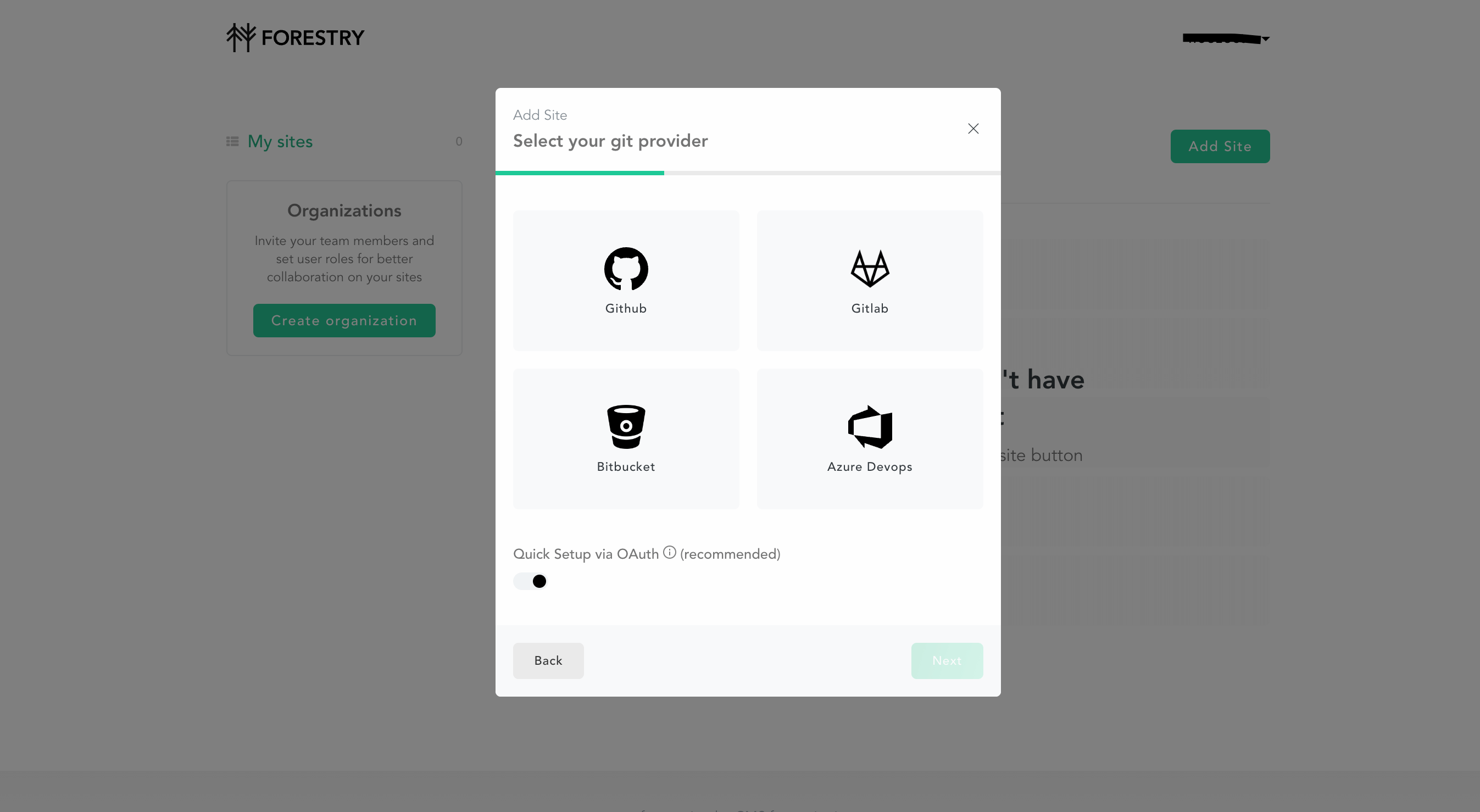
My git provider is Github and I assume yours is the same. So, choose "Github".
|
|
|
|
|
|
|
|
After this, the process of importing site (repo) is done.
|
|
|
|
## Set up Sidebar
|
|
|
|
The next phase after importing site is setting up sidebar menu. You can add many sidebar menu as you want. However, I'll only add one sidebar menu in this case.
|
|
|
|
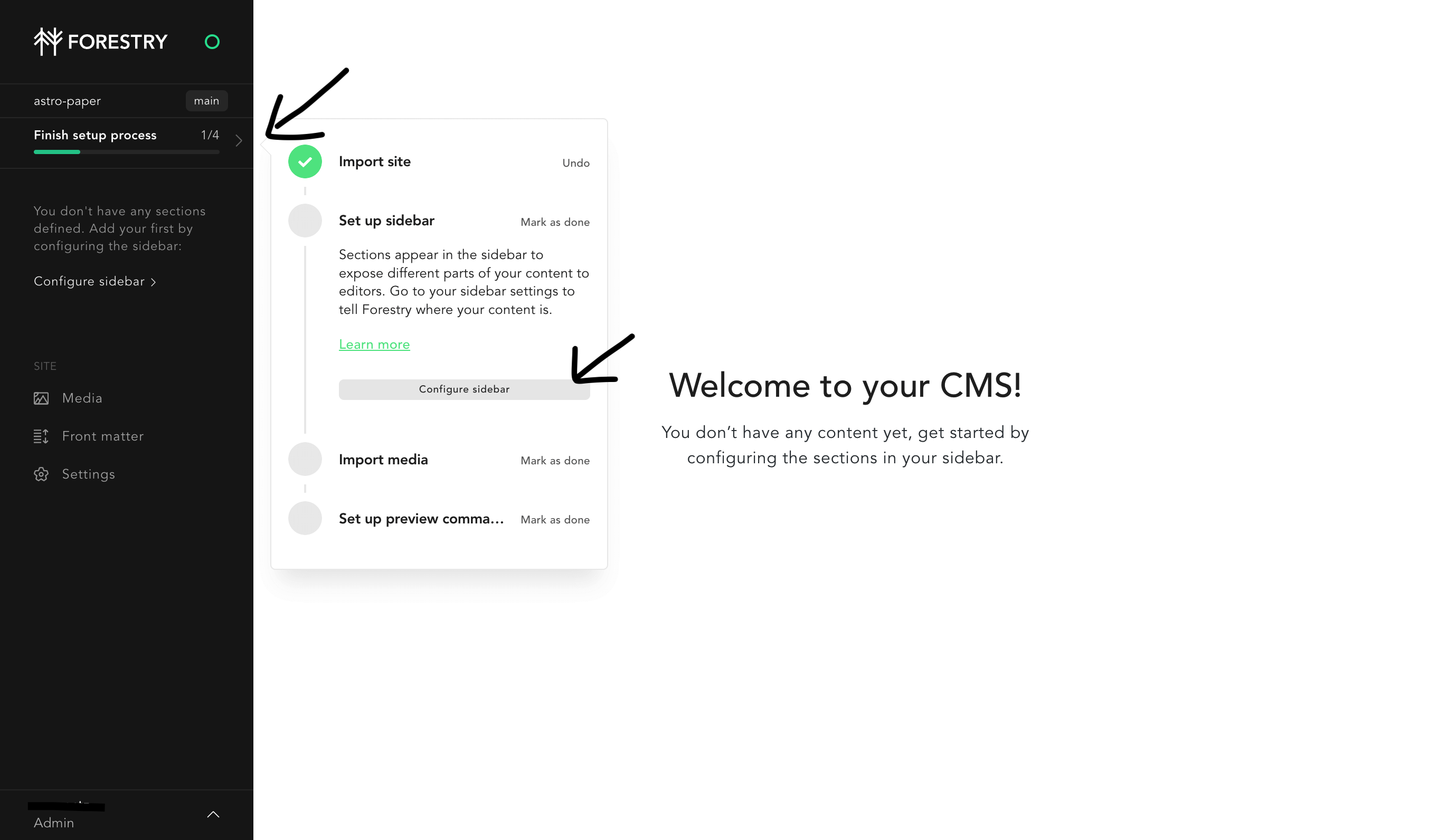
Navigate to "Finish setup process" > "Set up sidebar" and click "Configure sitebar"
|
|
|
|
|
|
|
|
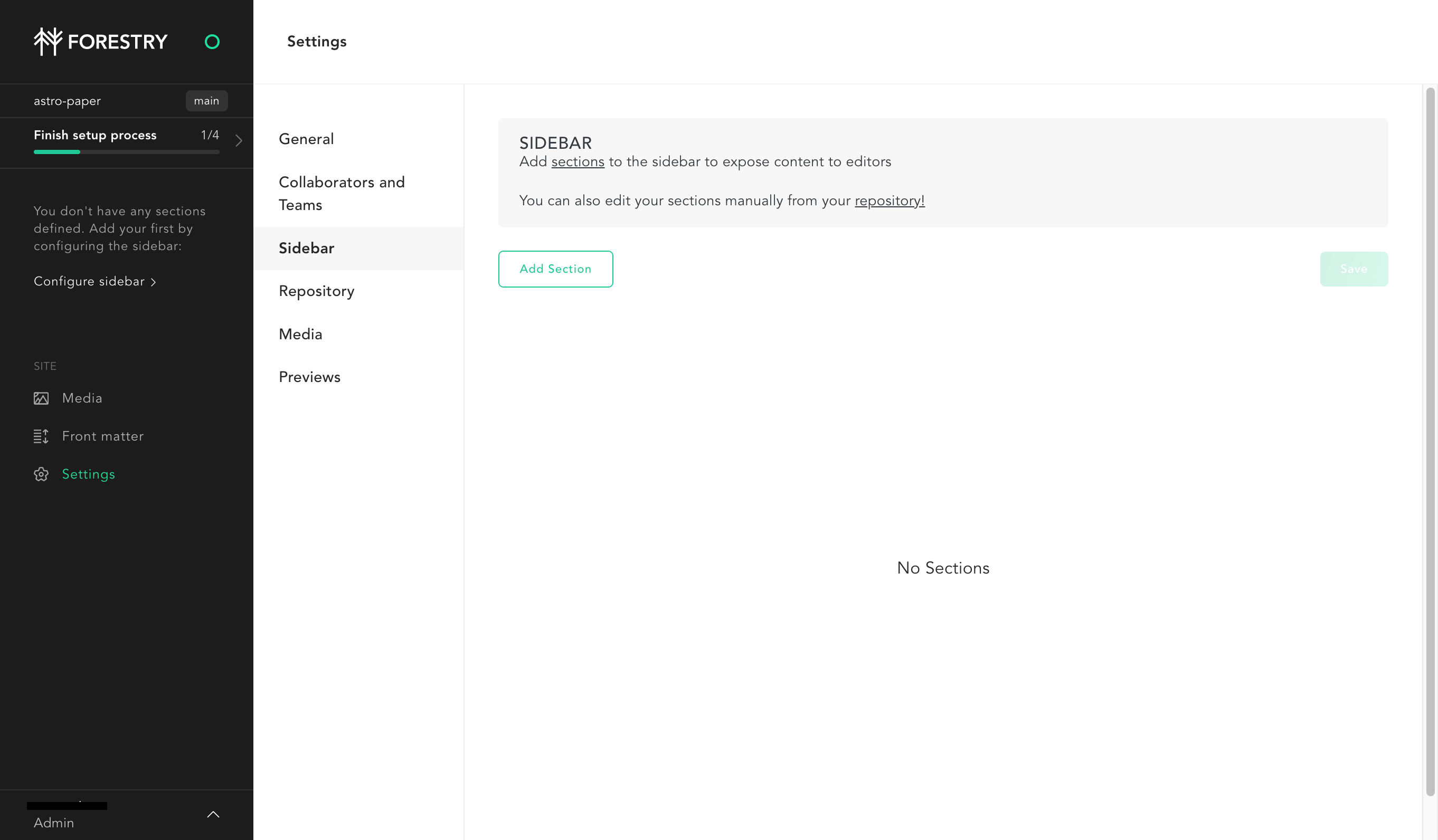
Then, click "Add Section" button.
|
|
|
|
|
|
|
|
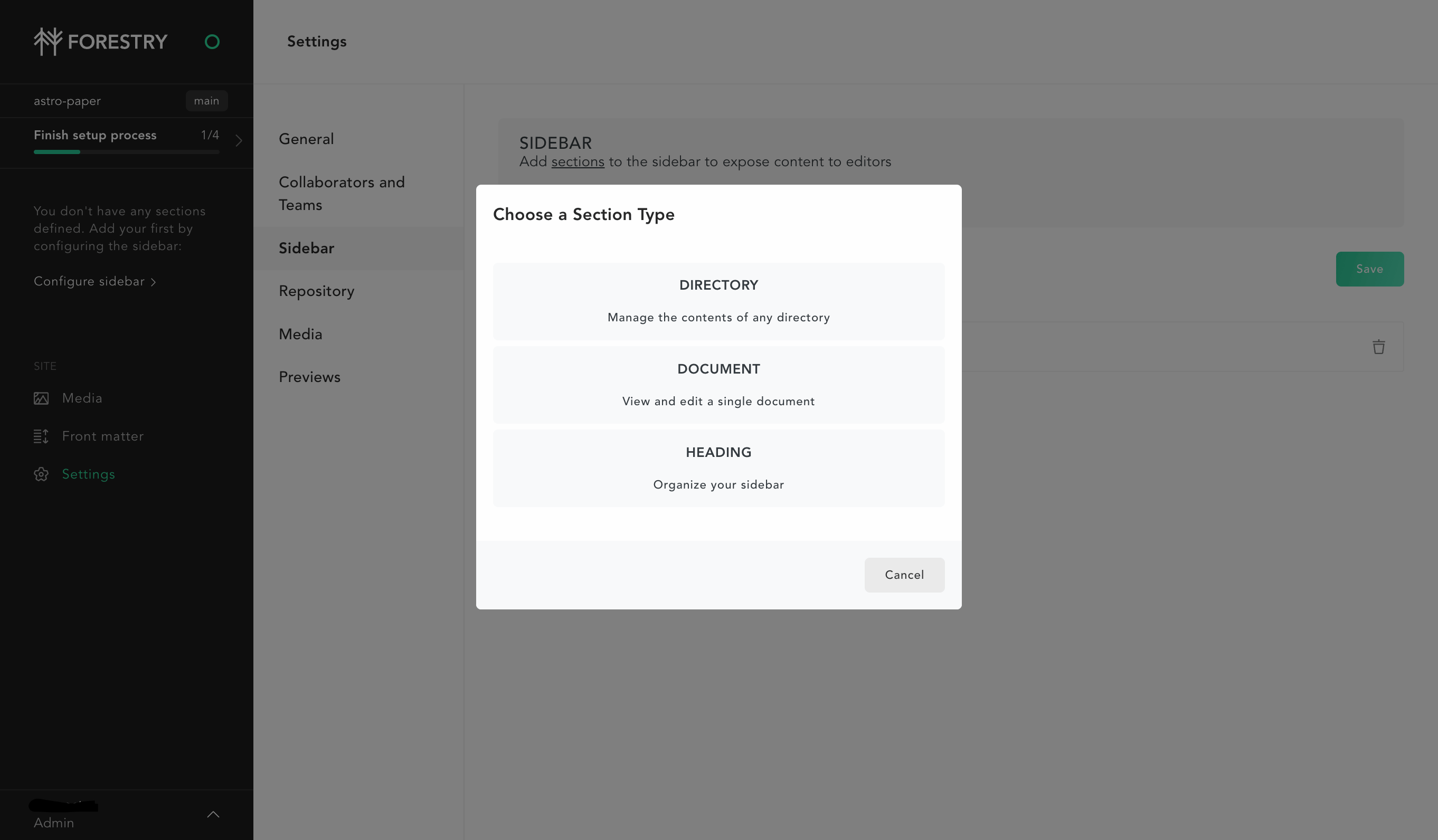
After that, choose DIRECTORY for the Section Type.
|
|
|
|
|
|
|
|
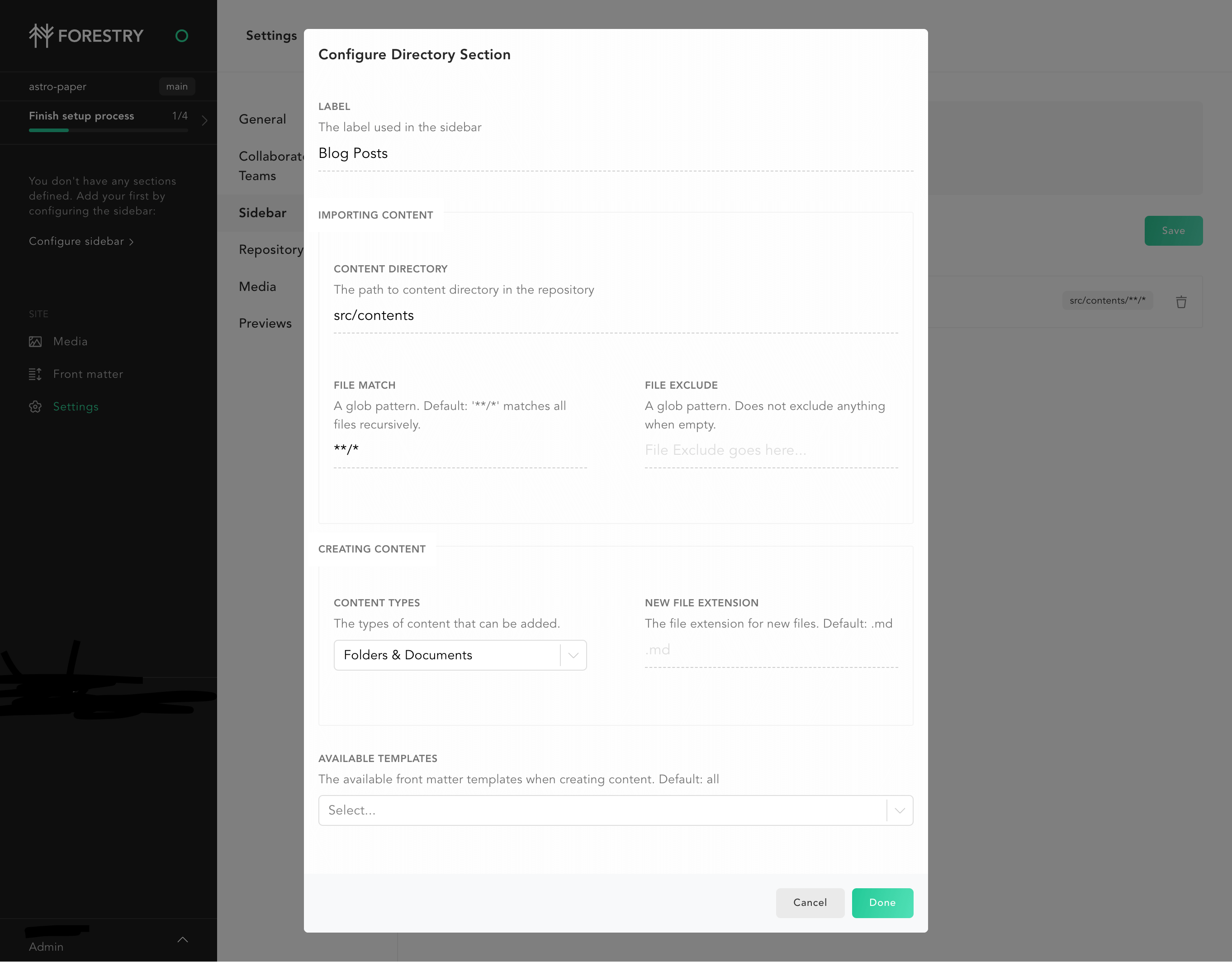
Then, configure the directory section. You can follow along with my setup.
|
|
|
|
|
|
|
|
After this step, you should see a sidebar menu "Blog Posts" and some blog posts.
|
|
|
|
## Set up Media Import
|
|
|
|
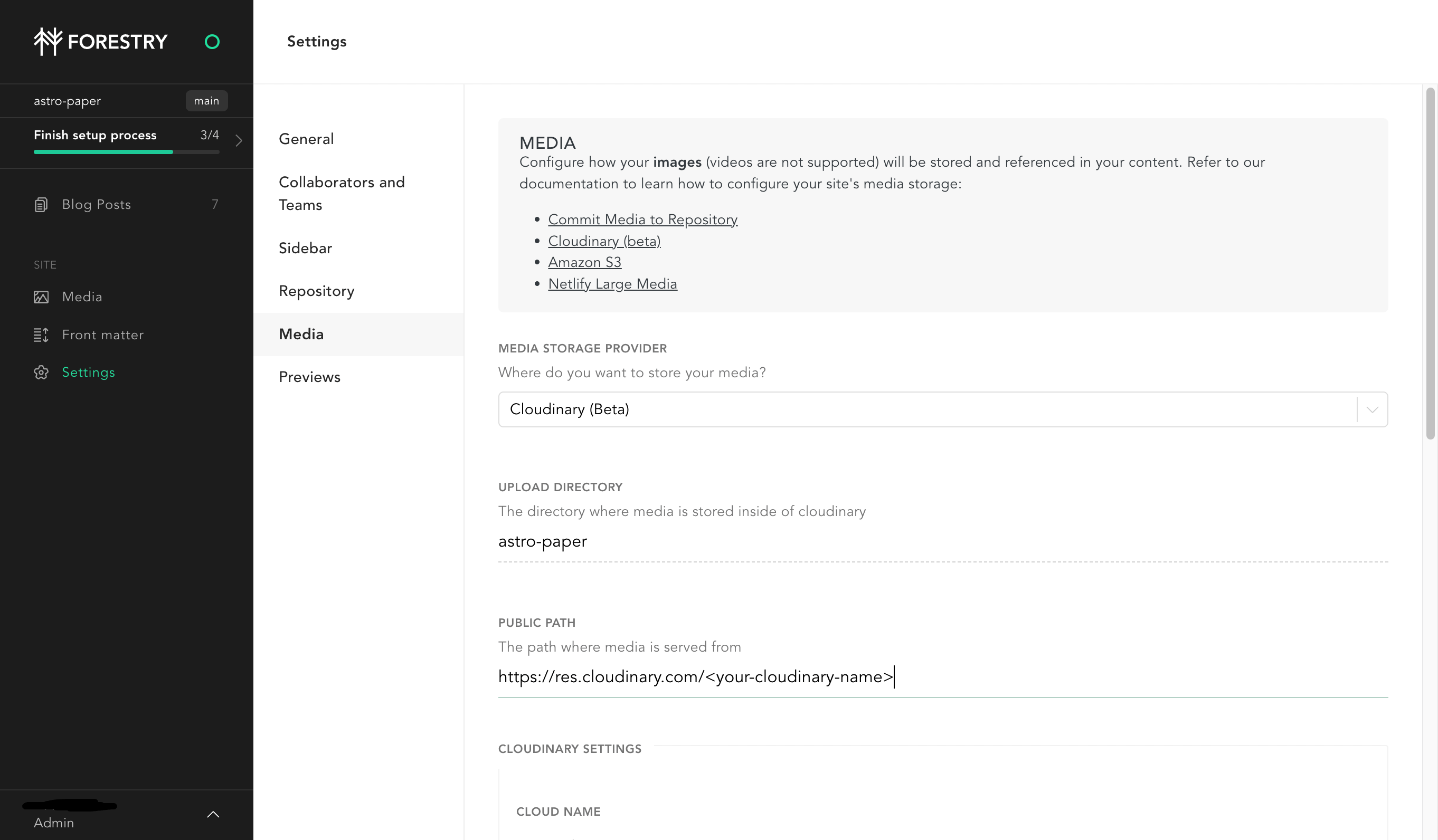
In Forestry CMS, you can set up different options for media (aka assets) such as Cloudinary, git commit media etc. I usually store my assets in [Cloudinary](https://cloudinary.com/). To set up media import, go to Settings > Media. Then select your image storage provider. (I chose Cloudinary).
|
|
|
|
|
|
|
|
You can see details of Forestry Cloudinary setup at [Forestry documentation](https://forestry.io/docs/media/cloudinary/).
|
|
|
|
## Set up Front matter template
|
|
|
|
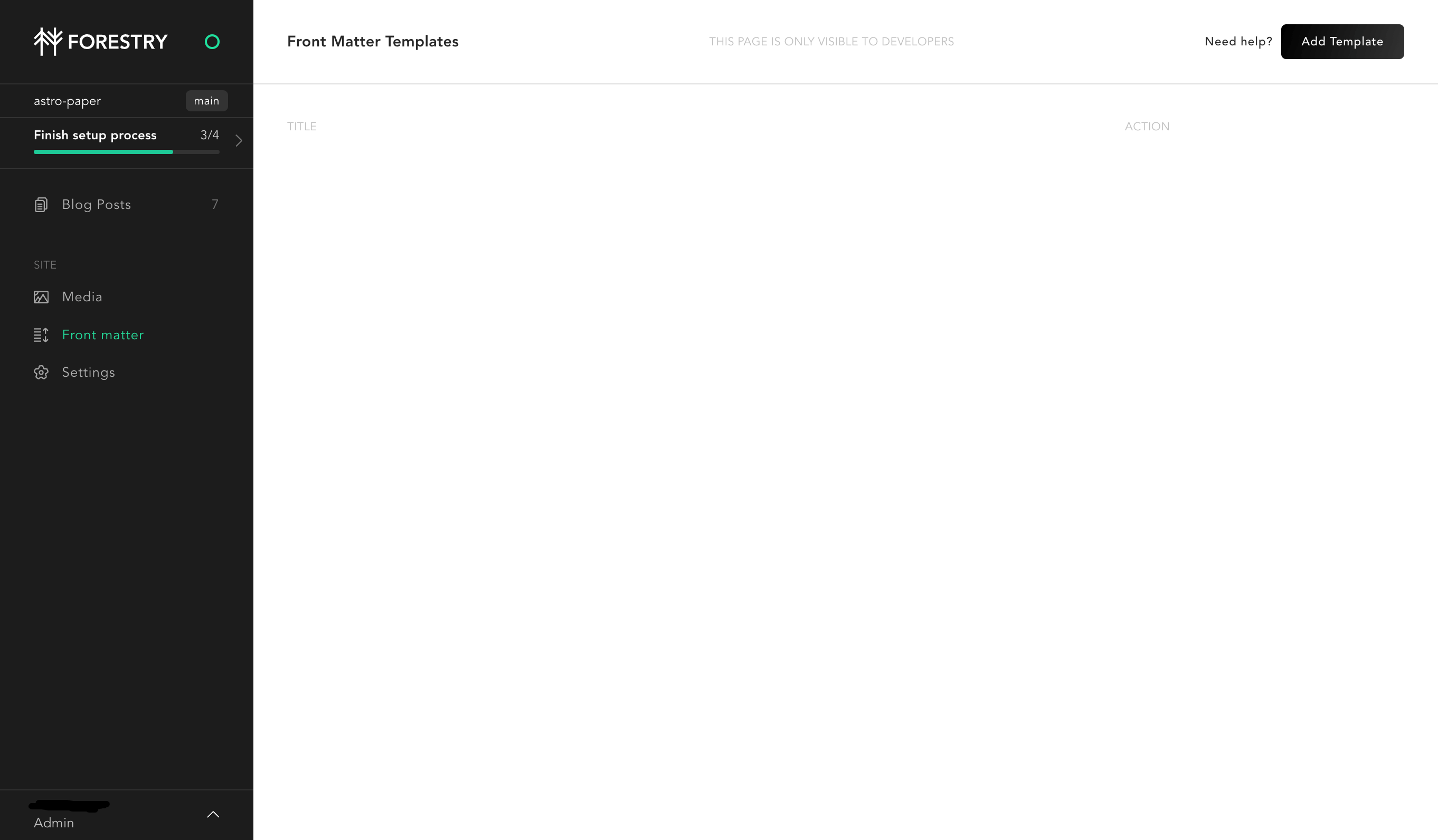
After setting everything up, you can set up front matter template for your future blog post. To set up front matter template, navigate to "Front matter" menu on the sidebar.
|
|
|
|
Then, click "Add Template" button at the top right corner.
|
|
|
|
|
|
|
|
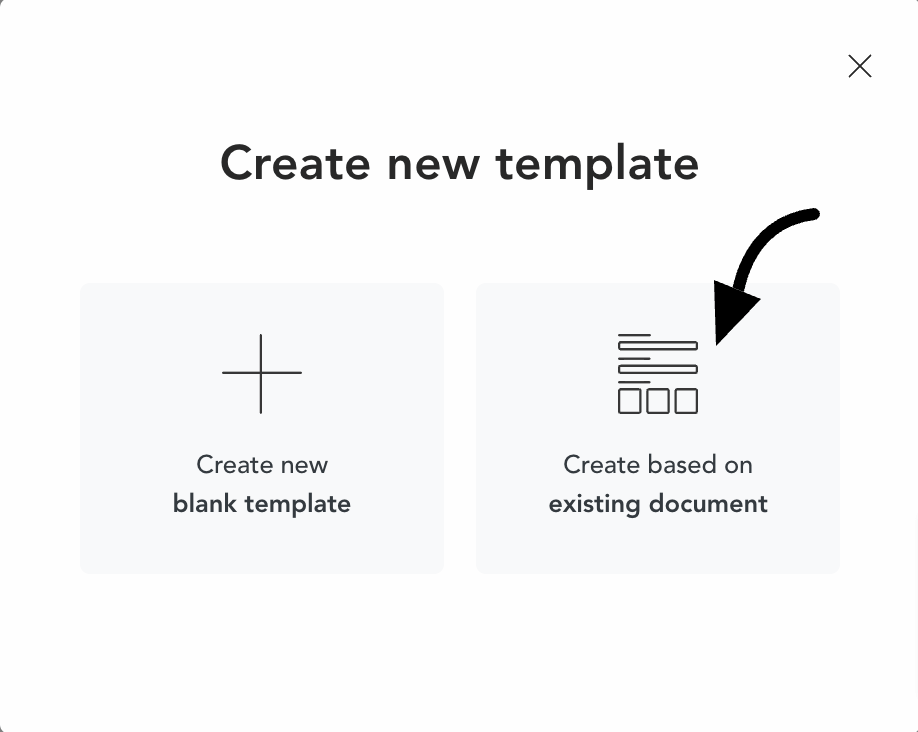
Select new template based on existing document.
|
|
|
|
|
|
|
|
Then, add template name and choose one of my document page as template.
|
|
|
|
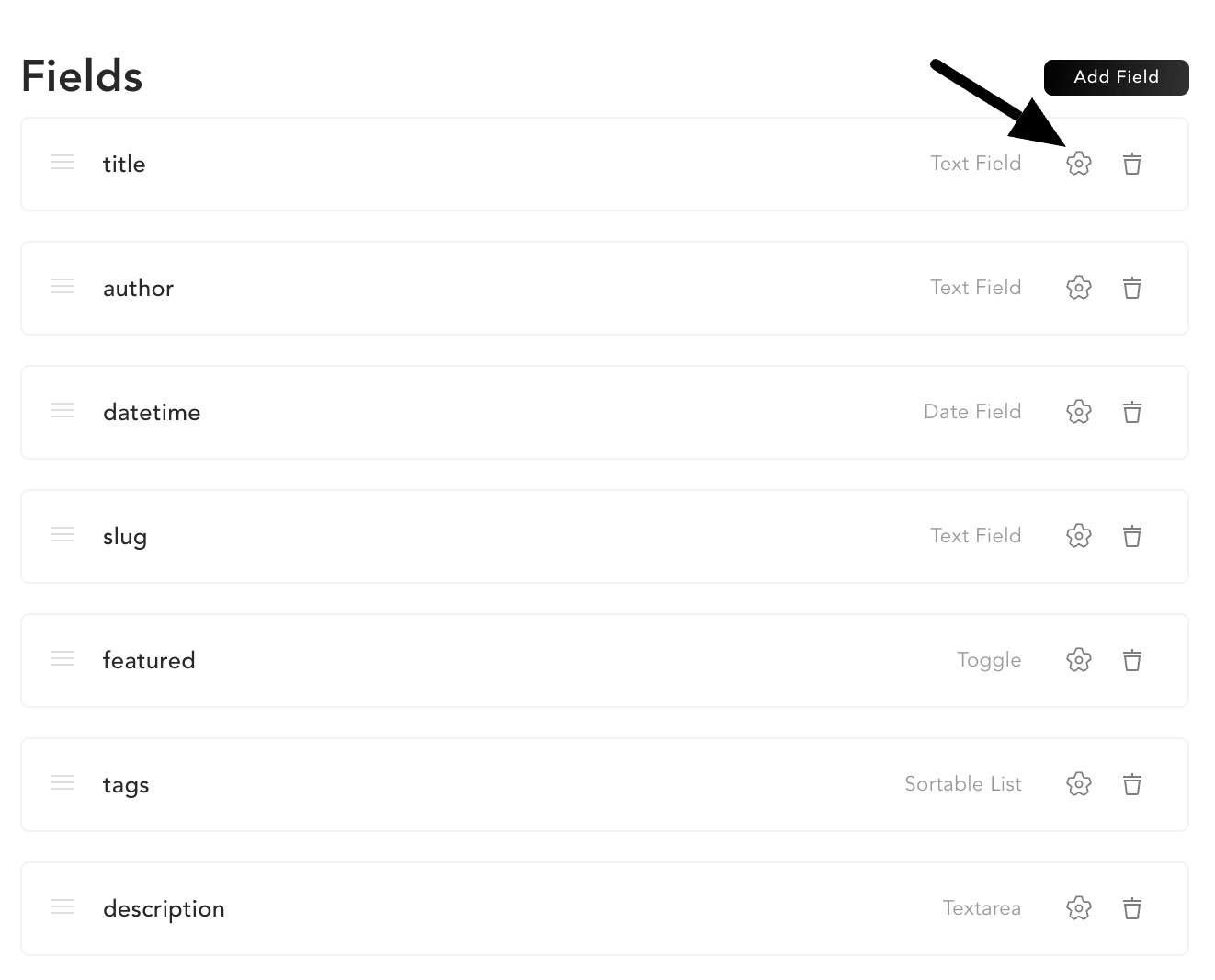
As the final setup, make some adjustment in the front matter field settings.
|
|
|
|
|
|
|
|
Here are some adjustments you have to make.
|
|
|
|
**_title_**
|
|
|
|
- Validation => REQUIRED => true
|
|
|
|
**_author_**
|
|
|
|
- Default => your name
|
|
|
|
**_datetime_**
|
|
|
|
- Default => USE "NOW" AS DEFAULT
|
|
|
|
**_description_**
|
|
|
|
- Validation => REQUIRED => true
|
|
|
|
## Conclusion
|
|
|
|
You can now post your articles and write whatever you want.
|